Creating a team communication space.
Blog provide a very efficient method for teams to collaborate on ideas.
To illustrate this tool, I’ll begin by creating a blog using the Site->Actions menu.
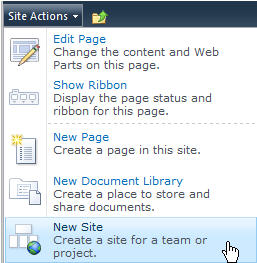
I’m given the ability to name my new blog, provide a web address, as well as more options which I won’t use for this article.
Now, I have a brand new blog where I and team members may collaborate on our team project.
This blog provides some great features such as a calendar icon for each post denoting when it was created.
Also, our blog site provides us with the ability to create a helpful “About this blog” section.
When users need to locate past postings, they may use months listed under the “Archives” section.
Now, I will create a new blog post by selecting “Create new post.”
As you can see, I have the ability to provide rich text within my blog posts.

Also, I may use Microsoft Word to create blog post for a much more intuitive interface.
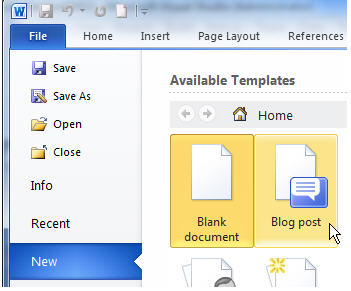
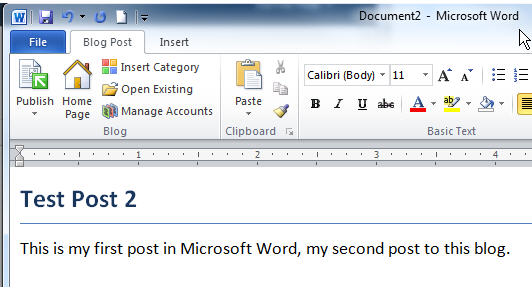
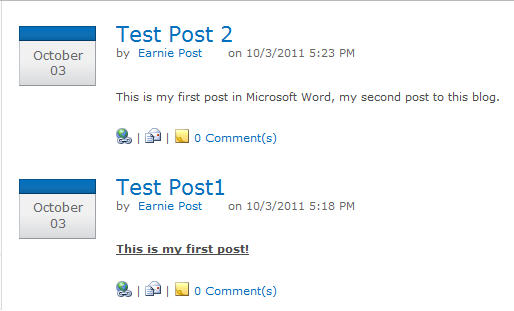
After registering my account, I simply enter my blog text and select to “Publish” the post back to my SharePoint site.

 TechMbaBi