Providing rich formatting within text.
Most reports require some type of rich formatting usually reserved for HTML. However, SSRS provides such formatting utilizing expressions.
Drag a textbox onto the Report Designer.

Resize the textbox to fit. Here it is with some formatting.

After setting the textbox expression to display the current date/time, my textbox looks like this.

However, I would like “Date” to appear BOLD.
The problem is the textbox natively only would allow me to make the entire string BOLD or not.
First, select <<Exp<>, then Placeholder Properties.
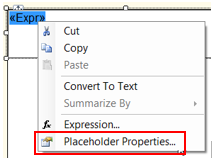
On the General property page, select HTML for Markup type, press OK.
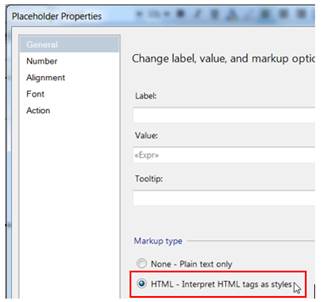
Now I am able to utilize HTML tags in my expression to set “Date” BOLD.

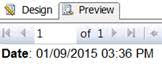
Now my Date string contains HTML formatting.
 TechMbaBi